Audio System Interface Design Document
Author Information
- Author: agahis
- Team: OnTrack – Voice Verification
- Team (Delivery and/or Product) Lead: Shae Christmas
Document Summary
- Documentation Title: Audio System Interface Design Document
- Documentation Type: Technical
- Documentation Information Summary: Design document detailing the implementation of the OnTrack Voice Verification audio system interface, showcased by wire frames for frontend development. Interface to allow tutors to see the results from the voice verification test with the new OnTrack Overseer system as well. The perspective is from a tutors as they are the only ones who have access to it.
Document Review Information
- Date of Original Document Submission to GitHub: 26/09/2022
- Documentation Version: 1.0
- Date of Previous Documentation Review: 26/09/2022
- Date of Next Documentation Review: to be decided
Key Links/Resources
- OnTrack Overseer Repository
- OnTrack Web Repository
- OnTrack API Repository
- OnTrack Voice Verification Python Container Repository
- OnTrack Voice Verification API Repository
- Thoth Tech Documentation Template
- OnTrack Documentation Template Guide
- Software Requirements Specifications Document
Contacts for further information
See Thoth Tech Handbook.
Low Fidelity Designs
Figure 1 below shows the initial sketches and brainstorming put into place for the tutors interface when accessing the voice verification results.
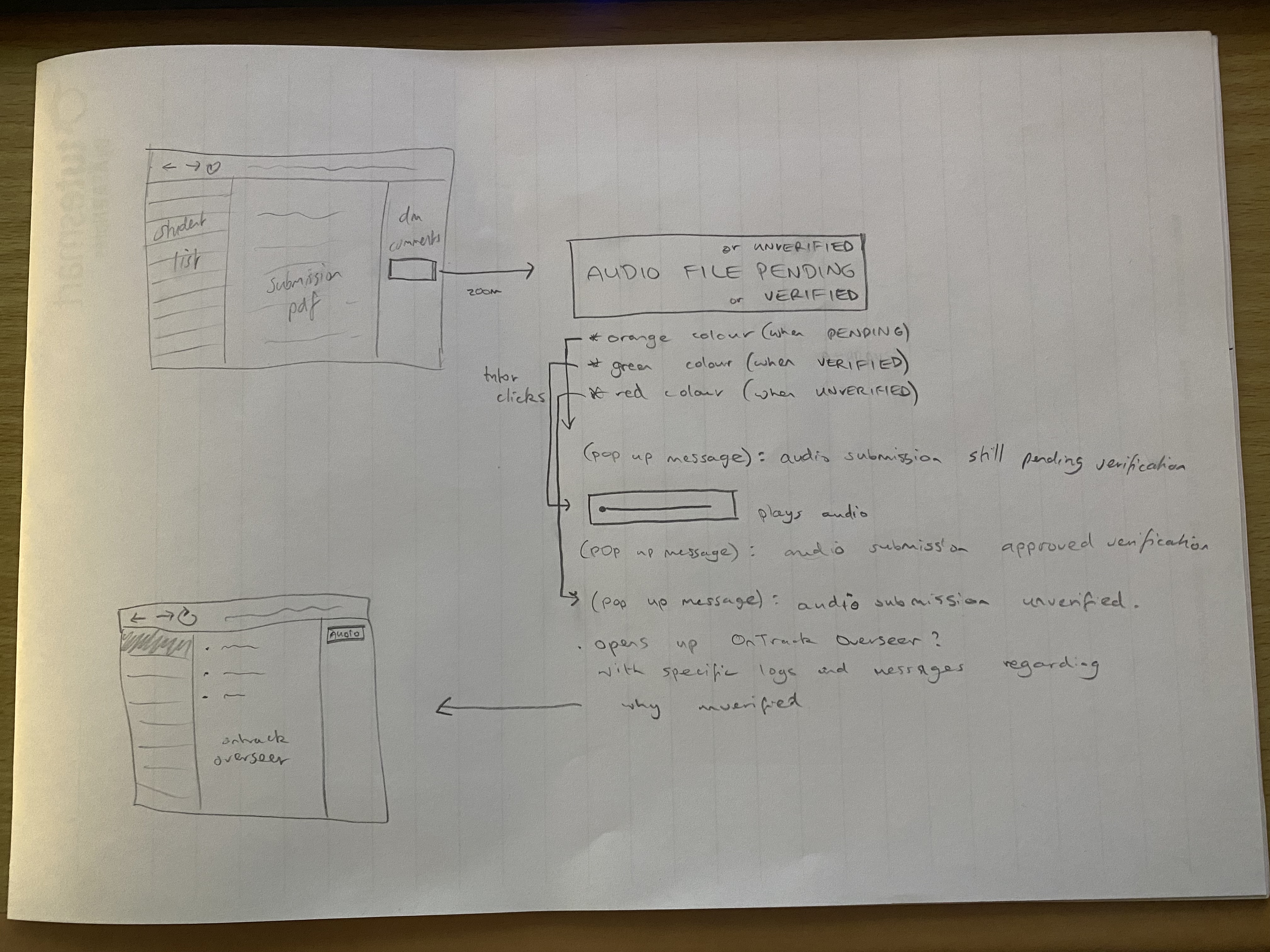
Figure 2 below shows a digital draft design for the flowchart between the three different results and visualisations shown in Figure 1. The visualisations are shown for the results and similar conventions used for display. Branching off to the main processes that would subsequently become an output from clicking on these results.
High Fidelity Designs
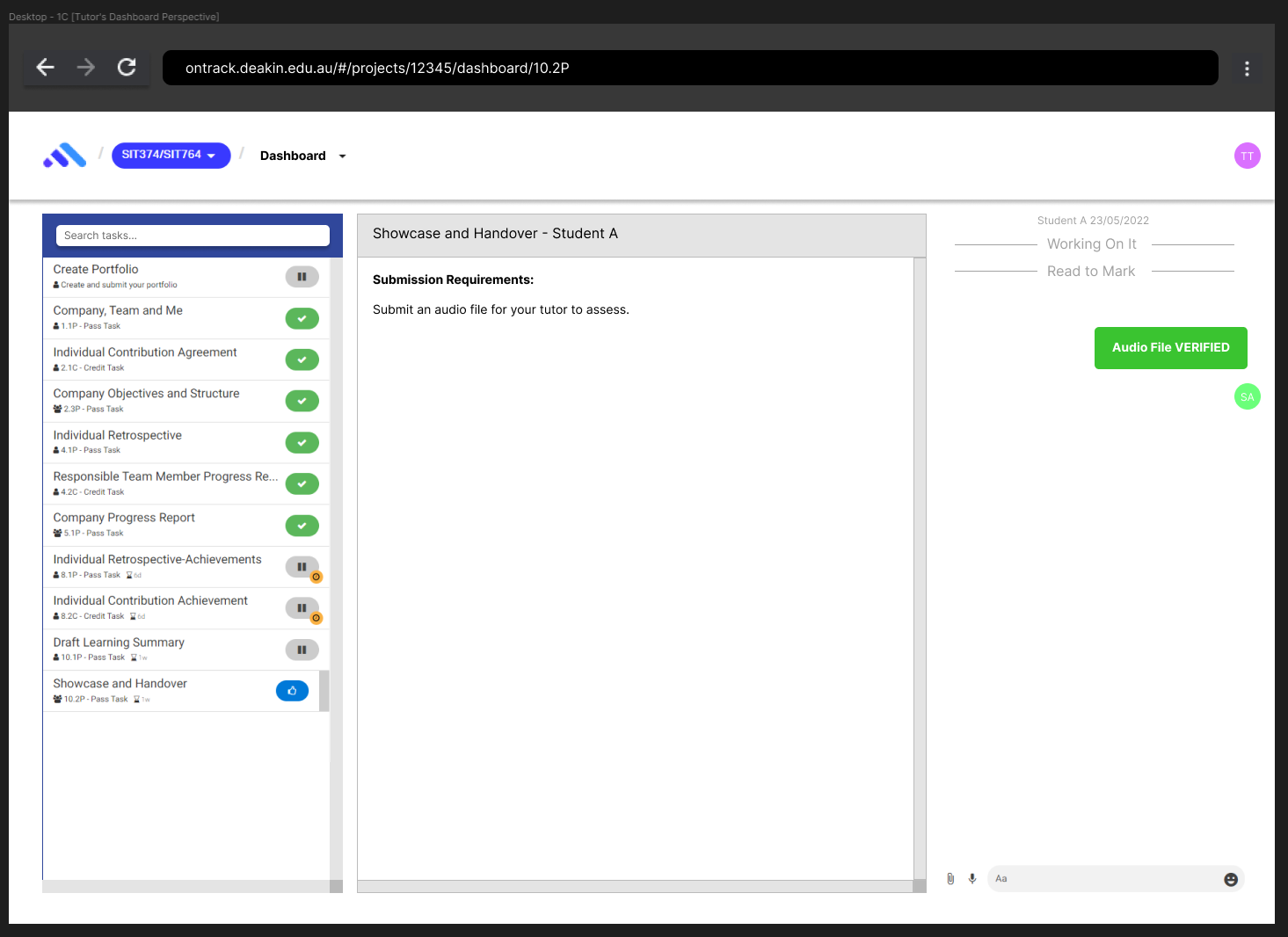
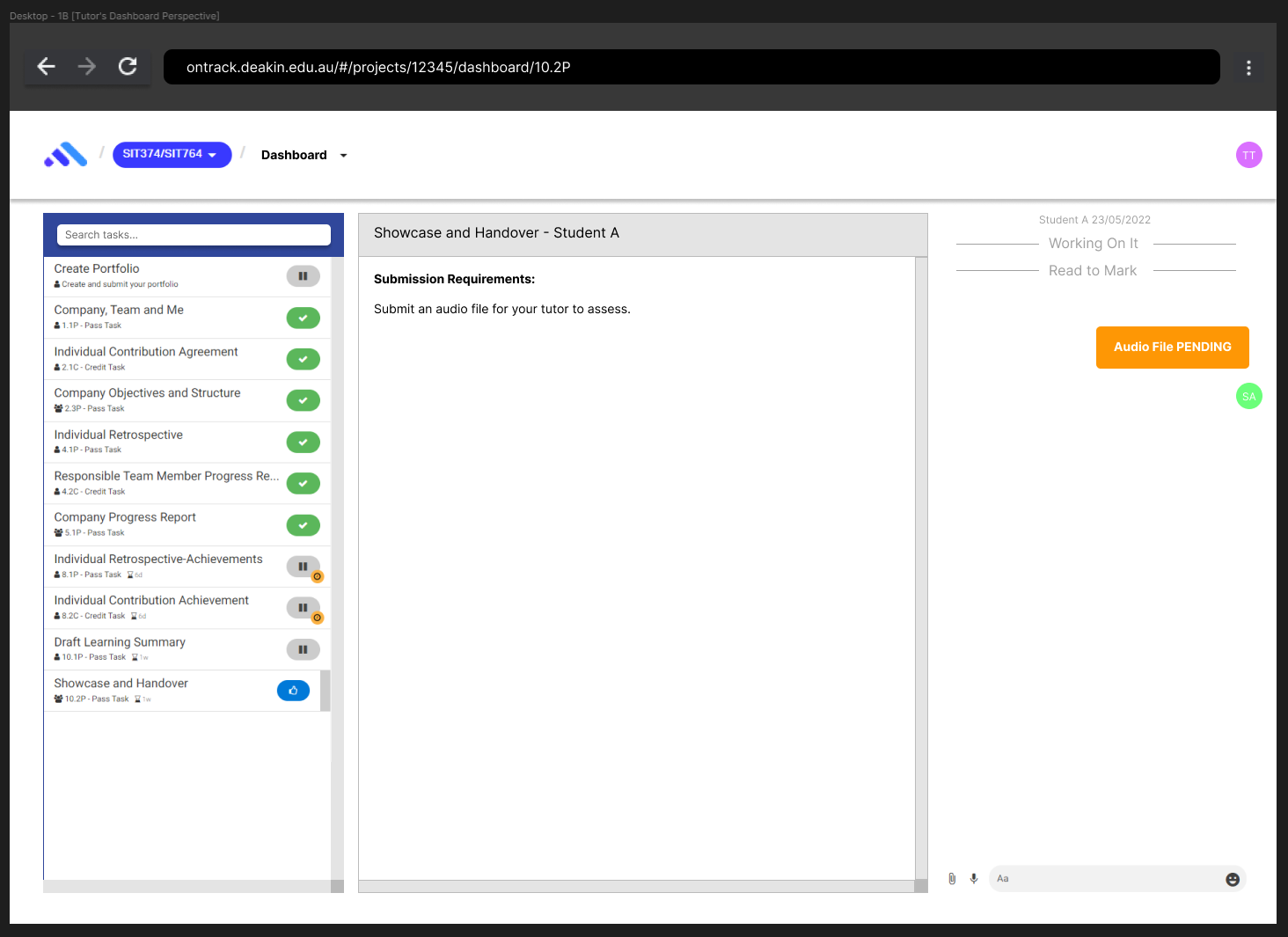
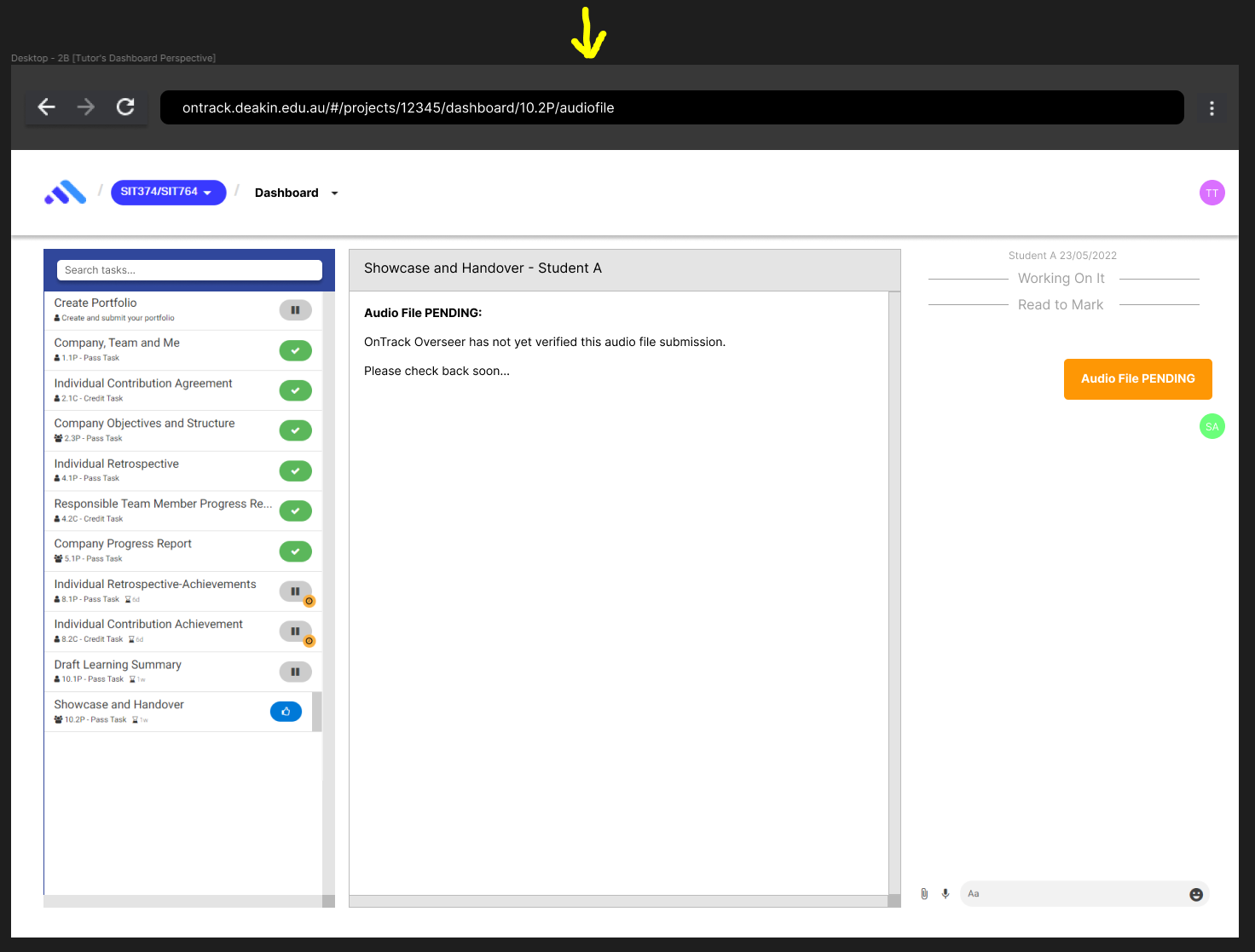
Figures 3 and 4 below shows the process and results when the tutor clicks on an audio file. These figures show files that are still pending.
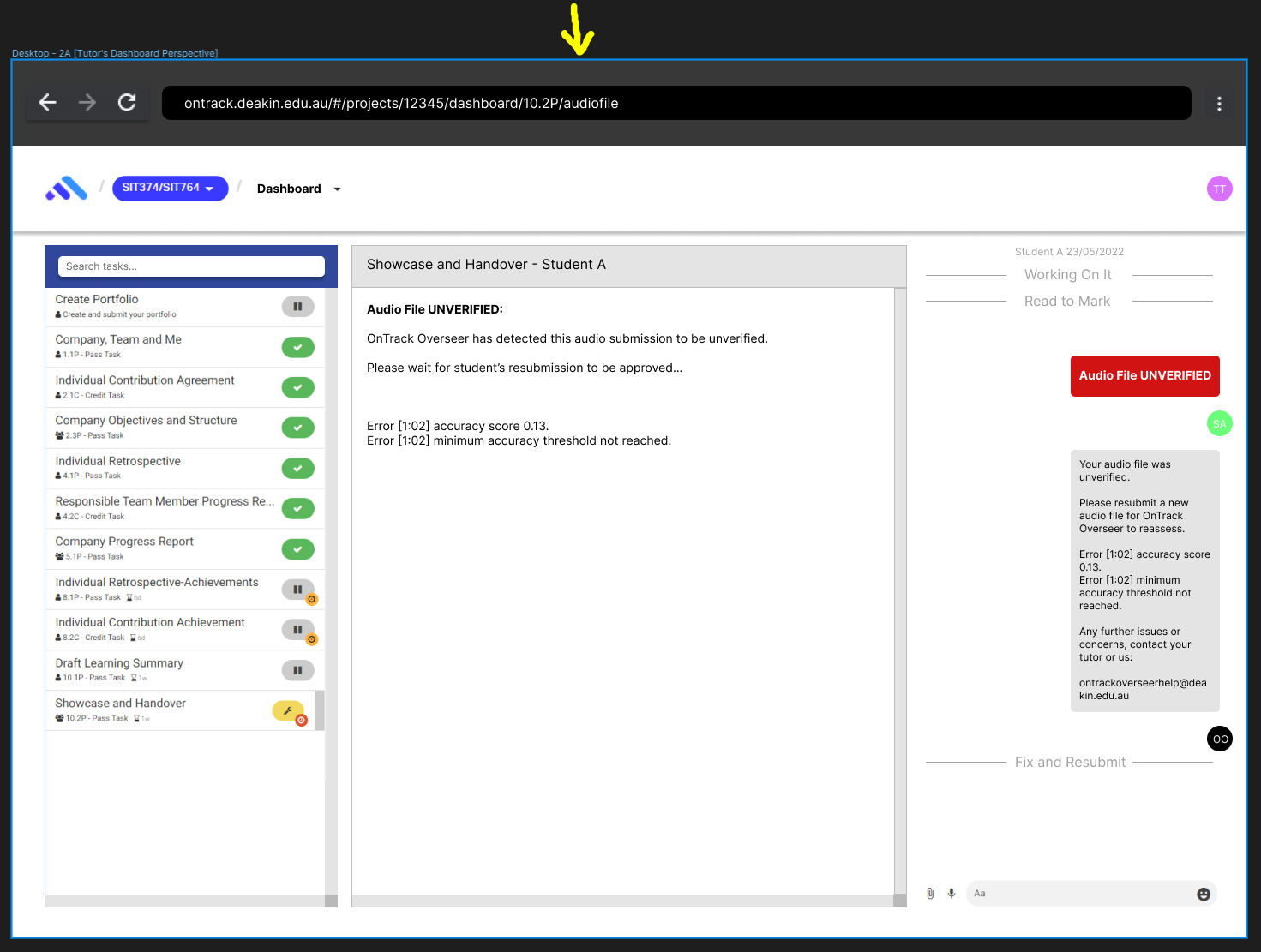
Figures 5 and 6 below shows the process and results of when the tutor clicks on an verification pending audio file.
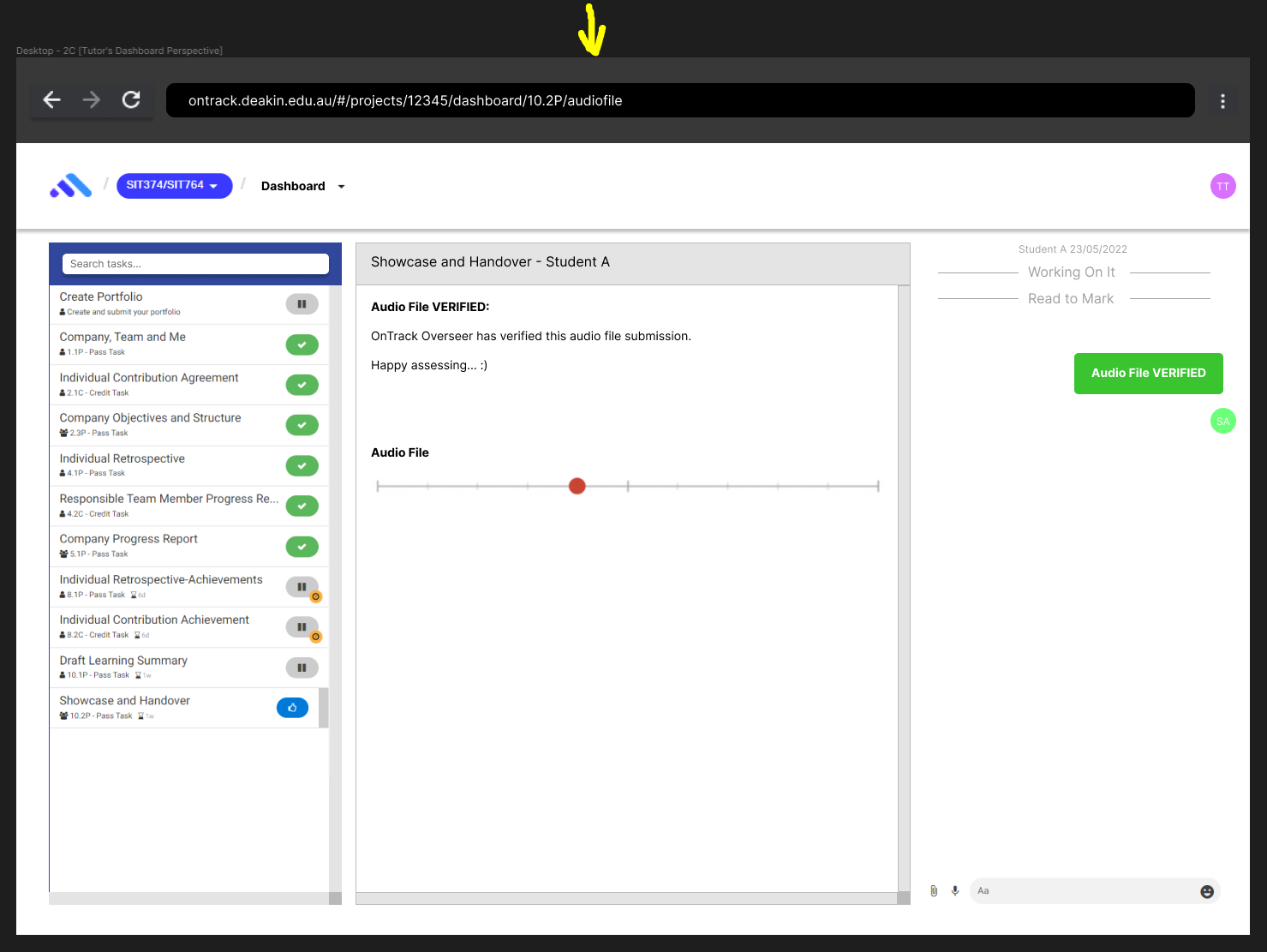
Figures 7 and 8 shows the process and results of when the tutor clicks on an audio file that has completed the Verification process.